

Orbiri pilot FAQs
Jump to…
Known issues
Home screen folders and layout may be lost
Issue:
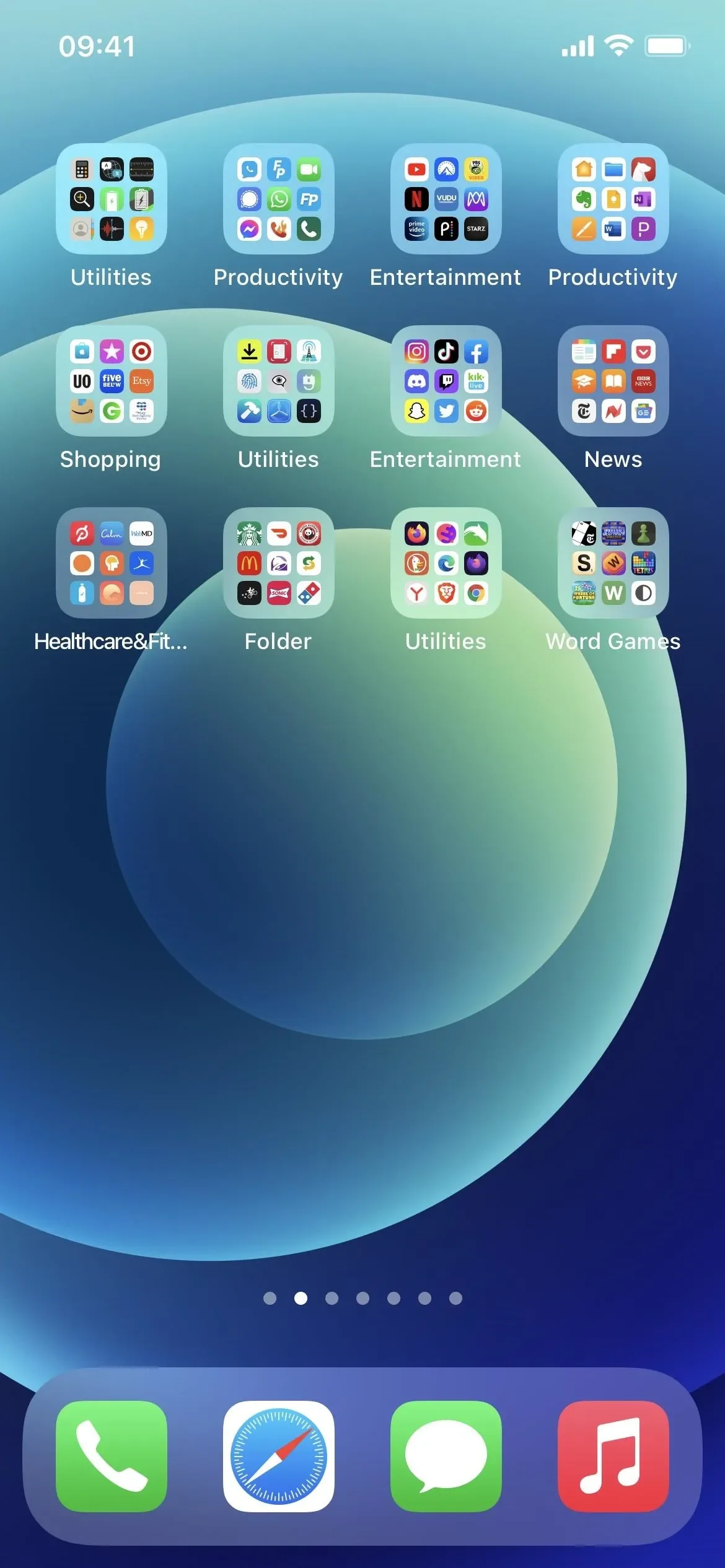
Orbiri uses Apple’s Family Controls to block apps, removing them completely from the home screen. When you enter a space and we ask iOS to unblock the space’s apps so they can be used, the apps will often not reappear in the same place on your Home Screen. Furthermore, if all apps in a folder have been blocked, iOS will usually delete that folder.
Fix/workaround:
We have no control over where iOS places apps when unblocked. If you can’t immediately see where an app is on your Home Screen, you can use the pull-down search to find it. To limit this issue, uninstall any apps you no longer use, and consider removing others you don’t often use from the Home Screen (tap and hold the icon, tap “Remove App”, then tap “Remove from Home Screen”). This won’t remove the app from your device but will reduce the number of apps on the Home Screen, making your common apps easier to find.
Target date for permanent fix:
No current target date set.
We should be able to allow you to create some Orbiri-managed folders on the Home Screen so we can ensure we always put apps back in the desired place when unblocked. We’re not 100% sure how much we’ll be able to do, but we will investigate this once the pilots are completed. We cannot provide a target date for this at this time.
WhatsApp backups may fail when blocked
Issue:
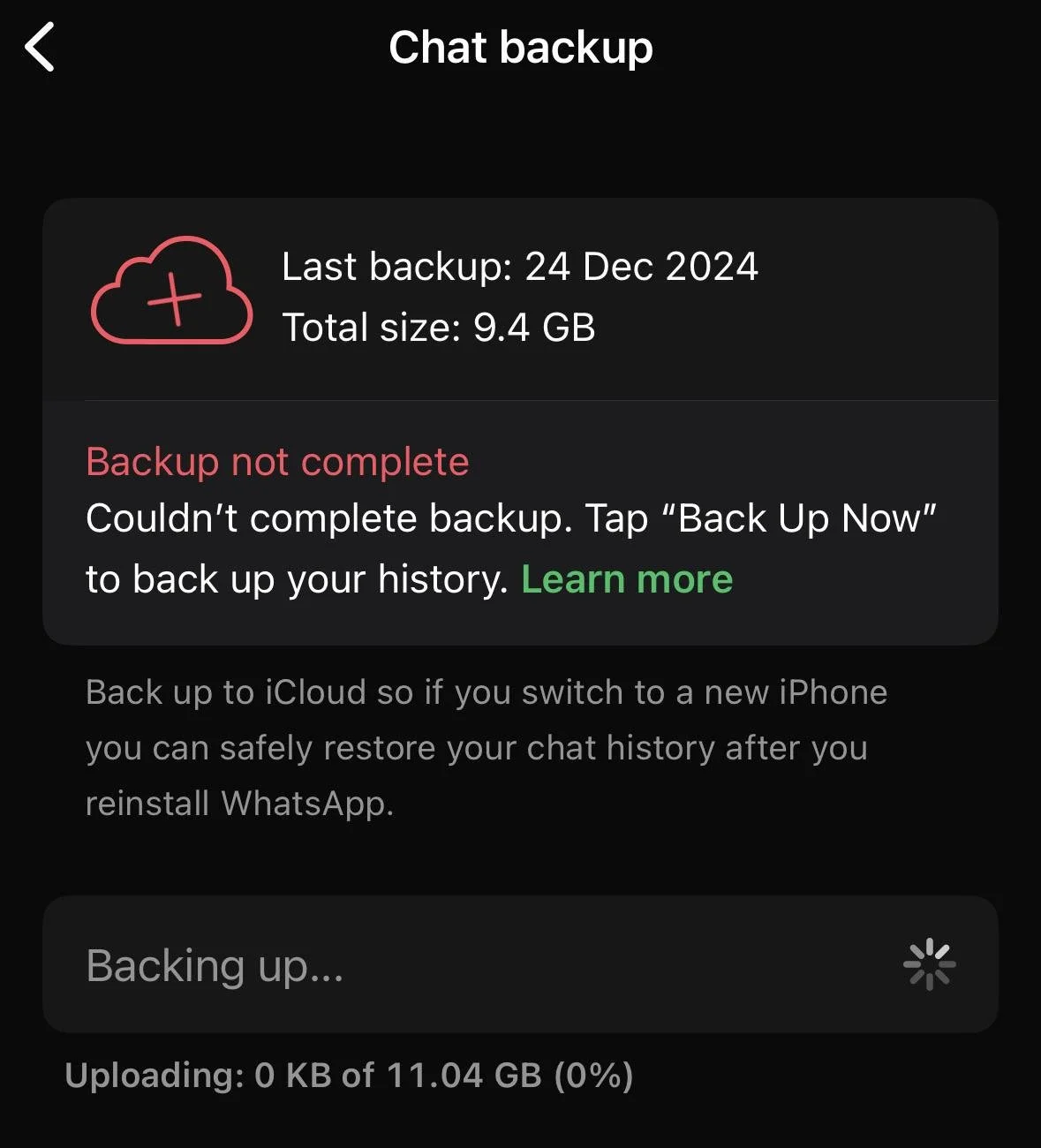
When Orbiri uses Apple’s Family Controls to completely block an app, its background processes are also usually blocked. This means apps like WhatsApp may not be able to perform their automatic overnight backup.
Fix/workaround:
Set a reminder every few days to perform a backup while WhatsApp is unblocked (Messaging space is active). Do this by going to “You > Chats > Chat backup” in WhatsApp.
Target date for permanent fix:
No current target date set.
We have a few ideas on how to work around this iOS issue. We may remotely switch to “shielding” instead of “blocking” in the early hours of the morning, to allow the required background processes to run. Shielding means the app icon is visible, but greyed out and not usable. We prefer full blocking during the day as the complete removal of the app icon reduces the temptation far more than just greying it out.
Some apps may not fully work if certain websites are blocked
Issue:
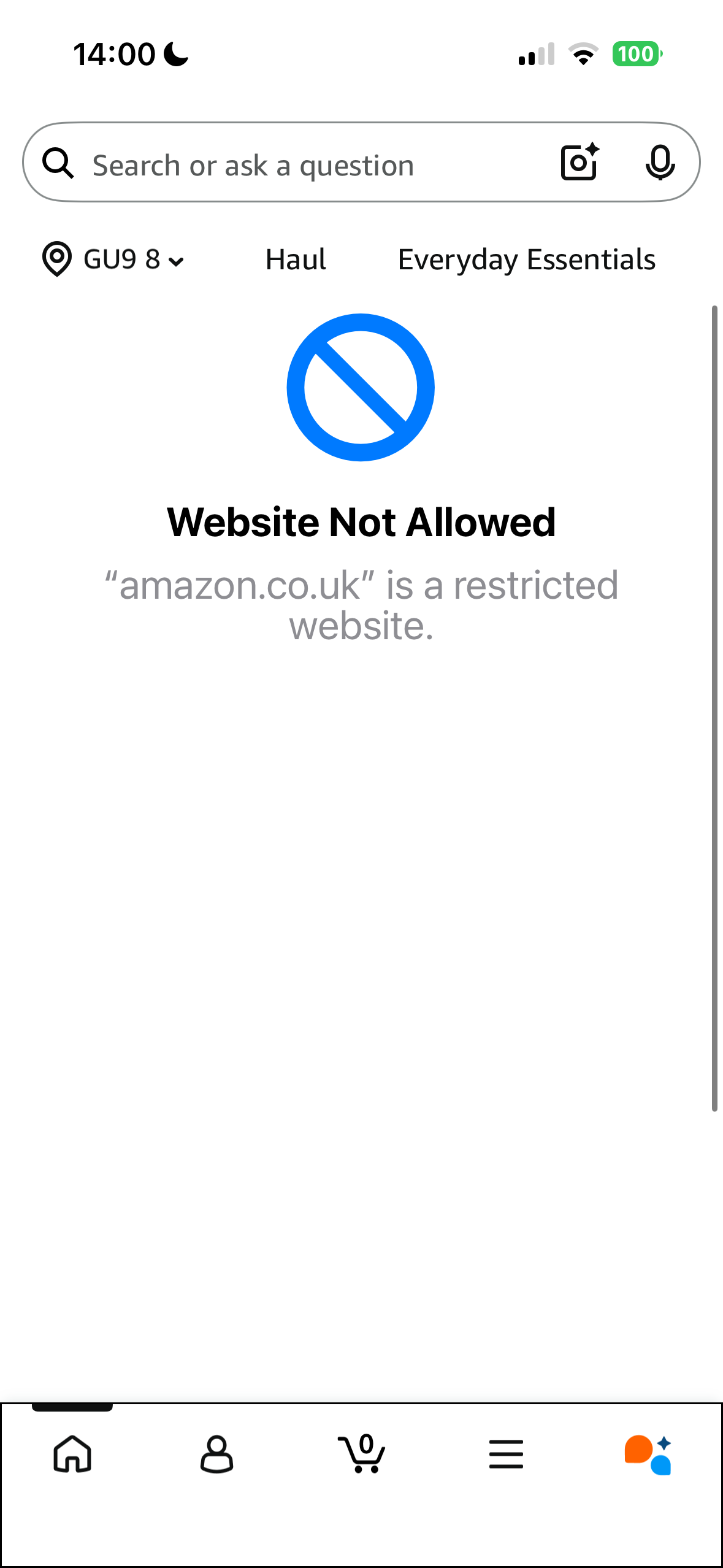
Many apps need some associated websites to work e.g. the Amazon app won’t work if amazon.co.uk is blocked. As Orbiri works on a whitelisting basis for the best protection (all websites are blocked except if explicitly allowed), we have associated these sites with their apps, so when you enter a space, both the apps are unblocked, and the websites are added to the whitelist. Although we have tested as much as we practically can at this stage, we may have missed one or two! If so, please let us know which app is not working properly by submitting a feedback note.
Fix/workaround:
Once reported, it is a quick fix for us to add the missing site to the correct whitelist. In the meantime, opening the Web Access space will allow all websites (except adult sites), so should allow the app to work.
Target date for permanent fix:
We will continually update the app whitelists as apps are added and issues are reported.
URL (website) unblocking may get “stuck”
Issue:
When you enter a space, Orbiri sends a request to Apple’s systems to update the whitelisted URLs (websites) on your device. This is to allow you to use certain websites in each space and to ensure the space’s apps work properly. These updates usually only take a couple of seconds to complete.
Sometimes - especially if there have been a lot of recent requests - these requests get “stuck” or can take longer to complete, resulting in your inability to access websites you should be able to.
Fix/workaround:
First, try leaving and entering the space again. This tries to refresh the request and it might go through. Next, trying entering a second space to kick-start the request.
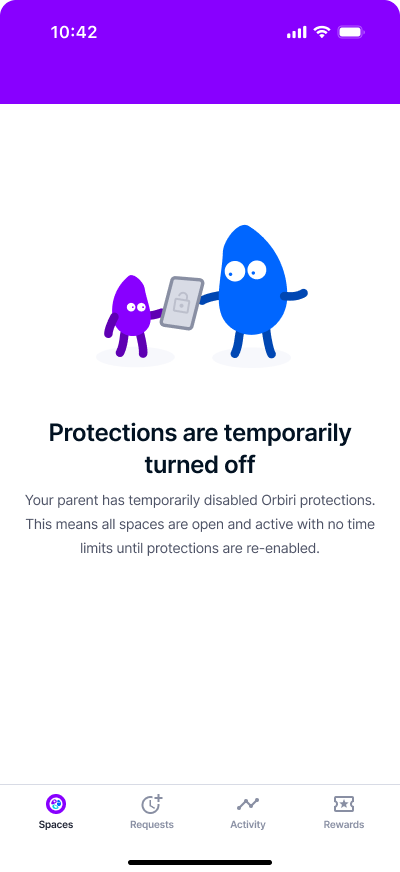
If all else fails, on the parent app toggle off the community settings (My Circle > child name > “Community settings enabled” toggle) and open the child app (Orbiri Screen) to check the image shown here is visible. This temporarily removes ALL Orbiri protections, so remember to toggle the settings back on as soon as you have done what you needed to do!
Target date for permanent fix:
No current target date set, although we hope to improve this incrementally with regular version updates.
We are planning on building in more verification checks and safeguards to ensure these requests sent to Apple are completed successfully.
One-time-passcodes don’t get through if SMS is blocked
Issue:
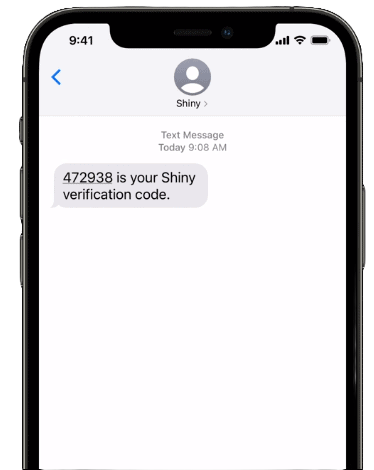
If you are sent a one-time-passcode (OTP, security code) by any service (e.g. your bank), but the Messaging space is not active, the OTP might not get through, even if you enter the Messaging space after the OTP has been sent.
Fix/workaround:
Ideally, remember to enter the messaging space before being sent a OTP. If you don’t the service will always offer an option to resend the code. Enter the Messaging space then resend the code.
Sometimes, changing your iPhone settings helps. In Settings > General > Autofill & Passwords. toggle off “Delete After Use” for verification codes.
Target date for permanent fix:
This issue needs more investigation as iOS’s behaviour does not appear consistent across different devices. We’re not 100% sure we’ll have any control over this behaviour.
Entering a space can sometimes time out
Issue:
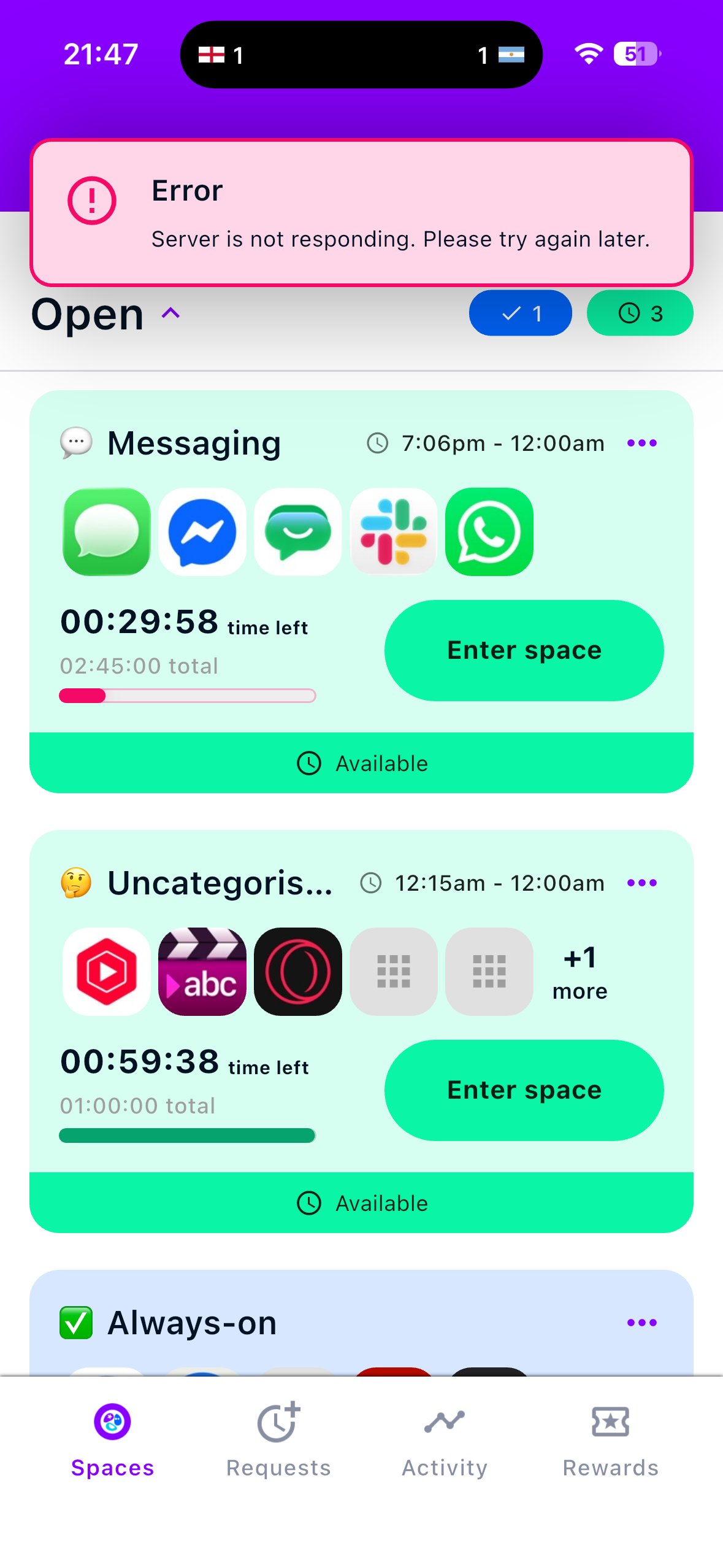
Sometimes when you enter a space, the app can sit there trying for up to 20 seconds before it finally gives up and returns a “Server is not responding” error, and the space does not open.
Fix/workaround:
Just try again and the response will almost always be immediate, allowing you to successfully enter the space.
Target date for permanent fix:
The issue is not really the server not responding - any reason for a temporary break in the connection can cause this error. We are working to improve the behaviour and should have a fix in place before the end of September 2026.
App blocking can sometimes fail
Issue:
To block the apps on your device we utilise the Apple Family Controls Framework. Sometimes, the requests we send to block apps do not complete successfully and some apps may block/unblock, seemingly at random.
Fix/workaround:
We have built in a lot of management for this and usually our system recovers failed blocking within a few seconds (maybe up to 20 seconds), so most of the time the issue will disappear on its own. If it does not, open the Orbiri Screen app for a few seconds before going back to the Home Screen. This will usually sort it out.
Failing any of this, in the Orbiri Parent app, toggle off the protections, open Orbiri Screen on the child device to ensure the protections are disabled, then turn them back on again. This “reset” will mop up any unresolved issues with blocking.
Target date for permanent fix:
We will continually improve the stability of the blocking mechanisms and will release updates regularly for this.
Known limitations
Only 50 apps can be blocked at a time (iOS only)

Limitation:
The Apple Family Controls framework only allows 50 apps to be blocked at a single time. So, some apps on your device may be unblocked when they are in a space that is not active, and you expect them to be blocked.
Workaround:
We cannot increase the number of apps Apple allows us to block, although we have seen that 50 is usually enough. However, we have carefully prioritised the blocking to ensure the main distracting apps are always blocked, and the chances are that anything over 50 is not something to worry too much about. The App Store is blocked on a high priority to ensure lots of apps are not installed to sneakily overwhelm the 50-limit.
NOTE: even if an app is not blocked when it ideally should be, without its space being active it may not work correctly as we won’t have whitelisted its associated websites (no iOS limits there!), so you could call it “partially blocked”.
For every user we can provide a “device health report” on request. This will tell you which apps cannot be successfully blocked due to this limitation and will hopefully guide you to uninstalling some other apps to allow more to be caught in the allowed 50 apps.
Target date for fix/update:
None - we cannot increase this limit set by Apple.
You must be online to enter and exit Orbiri spaces
Limitation:
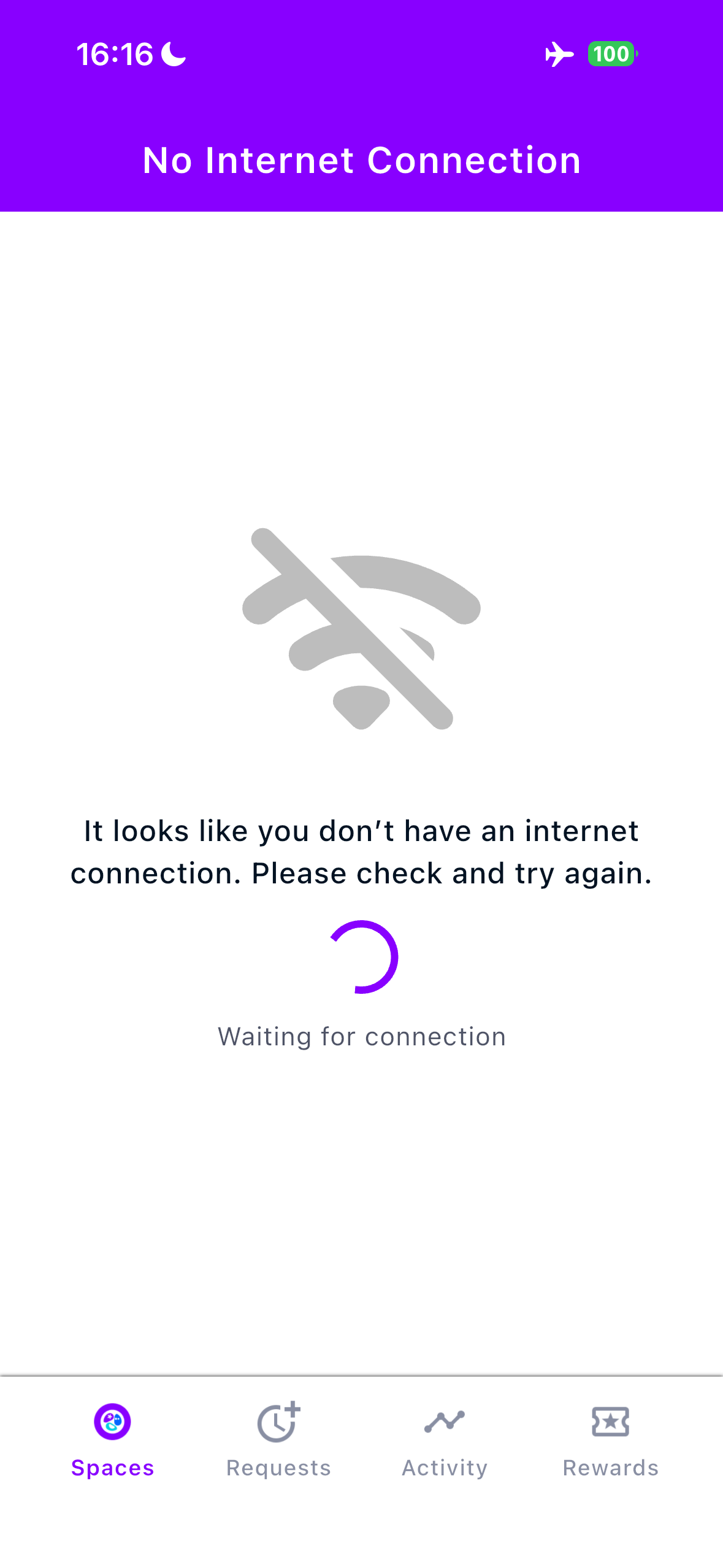
Orbiri currently only works ONLINE. This means you must have an active internet connection to enter and exit spaces (and unblock their apps).
Workaround:
None. We will work to add offline support once the pilots are completed and we have planned all updates based on received feedback.
Target date for fix/update:
By the end of 2026.
iOS 18+
Limitation:
Orbiri is designed to work best on the latest iOS version, although it should work effectively on iOS 18+. Your device should ideally always be running the latest OS to ensure you have all the latest Apple/Android features and security updates applied.
Workaround:
Orbiri should work effectively on iOS 18 and later. There are currently no features that explicitly require iOS 26 or later.
Target date for fix/update:
N/A
TOTAL time limits not yet implemented
Limitation:
Each space has a daily time limit set for your community and year group. TOTAL screen time (all spaces together) does not currently have a limit, so total screen use may still be higher than desired.
Workaround:
None, other than manual monitoring of total device usage.
Target date for fix/update:
Version 0.9.2, planned for August 2026.
New apps might take some time to be categorised

Limitation:
We have assigned many hundreds of commonly used apps into spaces for each year group. However, with each new Orbiri user comes the chance that an app we haven’t seen before is introduced. We get notified when this happens and will endeavour to categorise the app as soon as possible. In the meantime, unknown apps will be automatically placed in the Uncategorised space, which will need explicit parental approval to open.
Workaround:
Unknown apps will be in the uncategorised space, so requesting approval from your parent to open this space will allow you to use the apps. If the app doesn’t function properly, you may also need to enter the Web Access space to unblock any websites the app requires.
Target date for fix/update:
We will continually update the app categorisations as new apps are received for the first time. We aim to always do this within 2 weeks of first visibility.
Parental Guidance apps are all-or-nothing

Limitation:
Apps on your child’s device that are not suitable for their age (either legally, or recommended) will be placed into the Parental Guidance space, which needs your explicit approval to open. Currently, you cannot approve the use of a single app in the PG space: it is all-or-nothing.
Workaround:
The only workaround at the moment is to uninstall unwanted apps from your child’s device so that opening the PG space doesn’t grant access to undesired apps.
Target date for fix/update:
We plan to make the PG space work for specific apps at a time. This functionality has already been designed and we hope to implement it before the end of September, probably in v0.9.3.
Message drafts may be lost if your time runs out
Limitation:
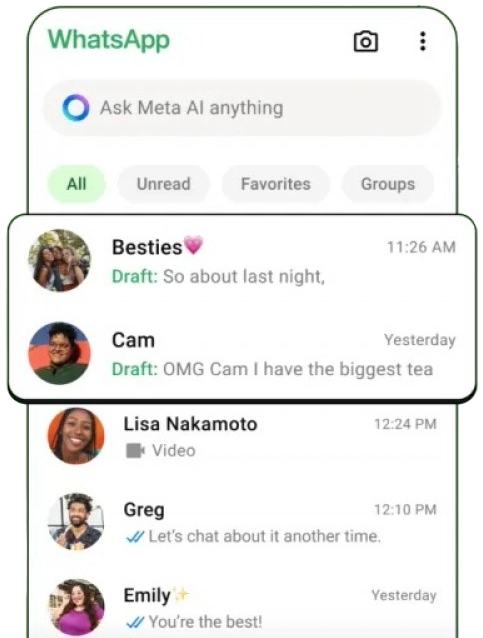
We use Apple’s Family Controls Framework to completely block apps once your time in a space has run out. Blocking sometimes “kills” an app to such an extent that if you were in the middle of writing (e.g.) a message on WhatsApp, the draft may be lost.
Workaround:
This behaviour is not reliably replicated and doesn’t happen all the time, so much of the time you will be fine. To prevent this from happening at all, for long messages you might like to write it in your device’s notes app first, then copy/paste to the messaging app.
Target date for fix/update:
None.
This behaviour is not reliably replicated and doesn’t happen all the time. If we can find a definite issue we will investigate how to mitigate it.